Beriringan dengan rilisnya line-up terbaru dari CPU AMD Ryzen 9000 Series seperti Ryzen 7 9850X3D dan Ryzen 9 9950X3D2, ASUS merilis beberapa motherboard dengan nama “Neo” series dari segmen mid-range X870 dan B850 dan kali ini TUF Gaming X870-Pro WiFi7 W Neo mampir ke Lab untuk kita uji! Tahun lalu kami juga sempat mencoba “saudara” dari motherboard ini, tepatnya TUF Gaming X870-Plus Wifi, jadi kira-kira apa yang bikin motherboard TUF Gaming X870-Pro WiFi7 W Neo ini berbeda dibanding pendahulunya?
Specification
| ASUS TUF Gaming X870-Pro WiFi7 W Neo Specification | |
| CPU Socket | AM5 |
| Chipset | AMD X870 Chipset |
| Memory | 4 x DIMM slots, max. 256GB, DDR5 Supports up to 8600+MT/s(OC)*/8200+MT/s(OC)** with Ryzen™ 9000 Series Processors, 9600+MT/s(OC)*/9000+MT/s(OC)** with Ryzen™ 8000 Series Processors, 8000+MT/s(OC)*/8000+MT/s(OC)** with Ryzen™ 7000 Series Processors, ECC and Non-ECC Un-buffered DIMM*** Dual channel memory architecture Supports AMD Extended Profiles for Overclocking (EXPO™) Supports DIMM Fit and DIMM Fit Pro NitroPath DRAM Technology ASUS Enhanced Memory Profile (AEMP) |
| Audio | Realtek ALC1220P 7.1 Surround Sound High Definition Audio CODEC |
| LAN | 1 x Realtek 5Gb Ethernet TUF LANGuard |
| Wireless & Bluetooth | Wi-Fi 7 2×2 Wi-Fi 7 (802.11be) Supports 2.4/5/6GHz frequency band Supports Wi-Fi 7 160MHz bandwidth, up to 2.9Gbps transfer rate. Bluetooth® v5.4 |
| Expansion Slot | AMD Ryzen™ 9000 & 7000 Series Desktop Processors* 1 x PCIe 5.0 x16 slot (supports x16 mode) AMD Ryzen™ 8000 Series Desktop Processors 1 x PCIe 4.0 x16 slot (supports x8/x4 mode)** AMD X870 Chipset 1 x PCIe 4.0 x16 slot (supports x4 mode)*** * Please check the PCIe bifurcation table on the support site ** Specifications vary by CPU types. *** PCIEX16(G4) slot shares bandwidth with the The M.2_4 slot. When either the PCIEX16(G4) or M.2_4 slot is occupied, that slot runs at PCIe 4.0 x4 mode. When both slots are occupied, each runs at PCIe 4.0 x2 mode. You can enter the BIOS to adjust the default settings as required.) shares bandwidth with M.2_4. The PCIEX16(G4) will be disabled when M.2_4 runs |
| Storage | Total supports 4 x M.2 slots and 2 x SATA 6Gb/s ports AMD Ryzen™ 9000 & 7000 Series Desktop Processors M.2_1 slot (Key M), type 2280 (supports PCIe 5.0 x4 mode) M.2_2 slot (Key M), type 2280 (supports PCIe 5.0 x4 mode)* AMD Ryzen™ 8000 Series Desktop Processors M.2_1 slot (Key M), type 2280 (supports PCIe 4.0 x4 mode) M.2_2 slot (Key M), type 2280 (supports PCIe 4.0 x4 mode)** AMD X870 Chipset M.2_3 slot (Key M), type 2280 (supports PCIe 4.0 x4 mode) M.2_4 slot (Key M), type 2242/2260/2280/22110 (supports PCIe 4.0 x4)*** 2 x SATA 6Gb/s ports |
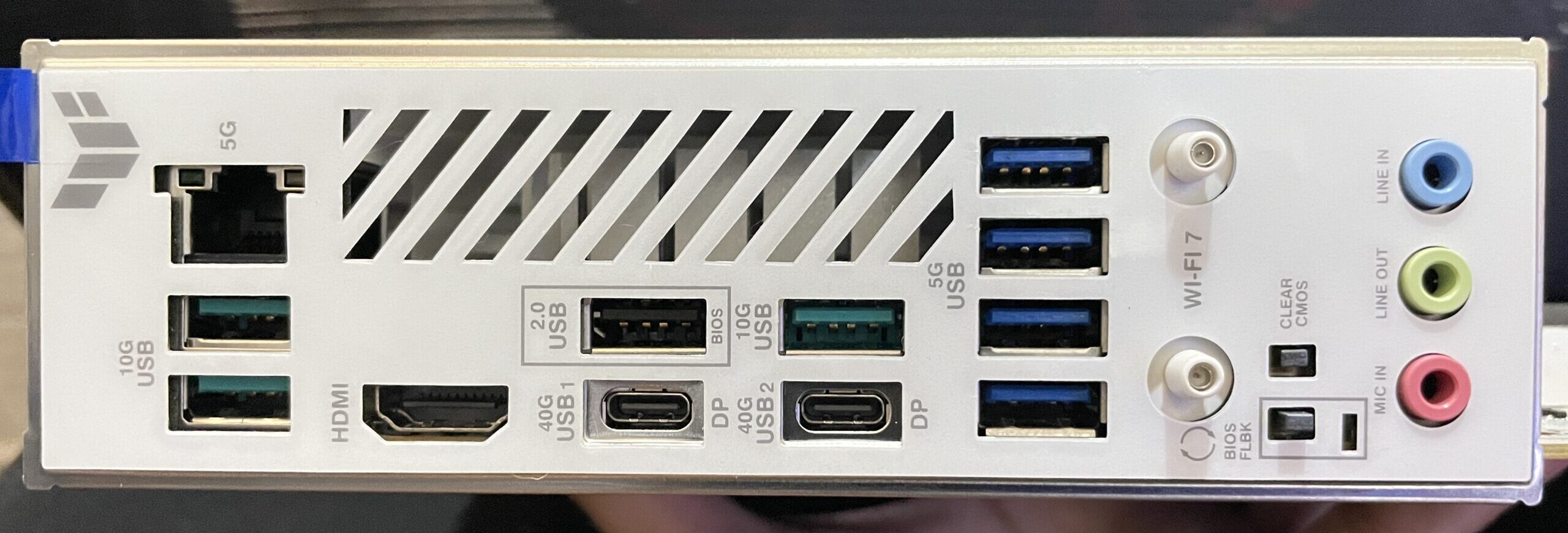
| USB | Rear USB (Total 10 ports) 2 x USB4® (40Gbps) ports (2 x USB Type-C®)* 3 x USB 10Gbps ports (3 x Type-A) 4 x USB 5Gbps ports (4 x Type-A) 1 x USB 2.0 port (1 x Type-A) Front USB (Total 9 ports) 1 x USB 20Gbps connector (supports USB Type-C® with up to 30W PD/PPS Fast-charge )** 1 x USB 5Gbps header supports 2 additional USB 5Gbps ports 3 x USB 2.0 headers support 6 additional USB 2.0 ports * USB Type-C® power delivery output: max. 5V/3A. * The 2 x USB4® (40Gbps) ports share bandwidth with the M.2_2 slot. The USB4 Controller runs at PCIe 4.0 x2 mode when a device is installed in the M.2_2 slot. The M.2_2 slot runs at PCIe x2 mode by default. You can switch M.2_2 to M.2_2 X4 mode in the BIOS, but this will disable the USB4® (40Gbps) ports. ** USB Type-C® power delivery output: 5V/9V max. 3A, 12V max. 2.5A, 15V max. 2.0. |
| Internal I/O Connectors | Fan and Cooling Related 1 x 4-pin CPU Fan header 1 x 4-pin CPU OPT Fan header 1 x 4-pin AIO Pump header 4 x 4-pin Chassis Fan headers 1 x W_PUMP+ header Power Related 1 x 24-pin Main Power connector 2 x 8-pin +12V CPU Power connectors Storage Related 4 x M.2 slots (Key M) 2 x SATA 6Gb/s ports USB 1 x USB 20Gbps connector (supports USB Type-C® with up to 30W PD/PPS Fast-charge ) 1 x USB 5Gbps header supports 2 additional USB 5Gbps ports 3 x USB 2.0 headers support 6 additional USB 2.0 ports Miscellaneous 3 x Addressable RGB Gen 2 headers 1 x Chassis Intrusion header 1 x COM Port header 1 x Front Panel Audio header (F_AUDIO) 1 x S/PDIF Out header 1 x 10⁻¹ pin Front Panel System header 1 x Thermal Sensor header |
| Back Panel Connectors | 2 x USB4® (40Gbps) ports (2 x USB Type-C®) 3 x USB 10Gbps ports (3 x Type-A) 4 x USB 5Gbps ports (4 x Type-A) 1 x USB 2.0 port (1 x Type-A) 1 x HDMI™ port 1 x Wi-Fi module 1 x Realtek® 5Gb Ethernet port 3 x Audio jacks 1 x BIOS FlashBack™ button 1 x Clear CMOS button |
| Form Factor | ATX Form Factor; 30.5cm x 24.4cm |
Closer Look
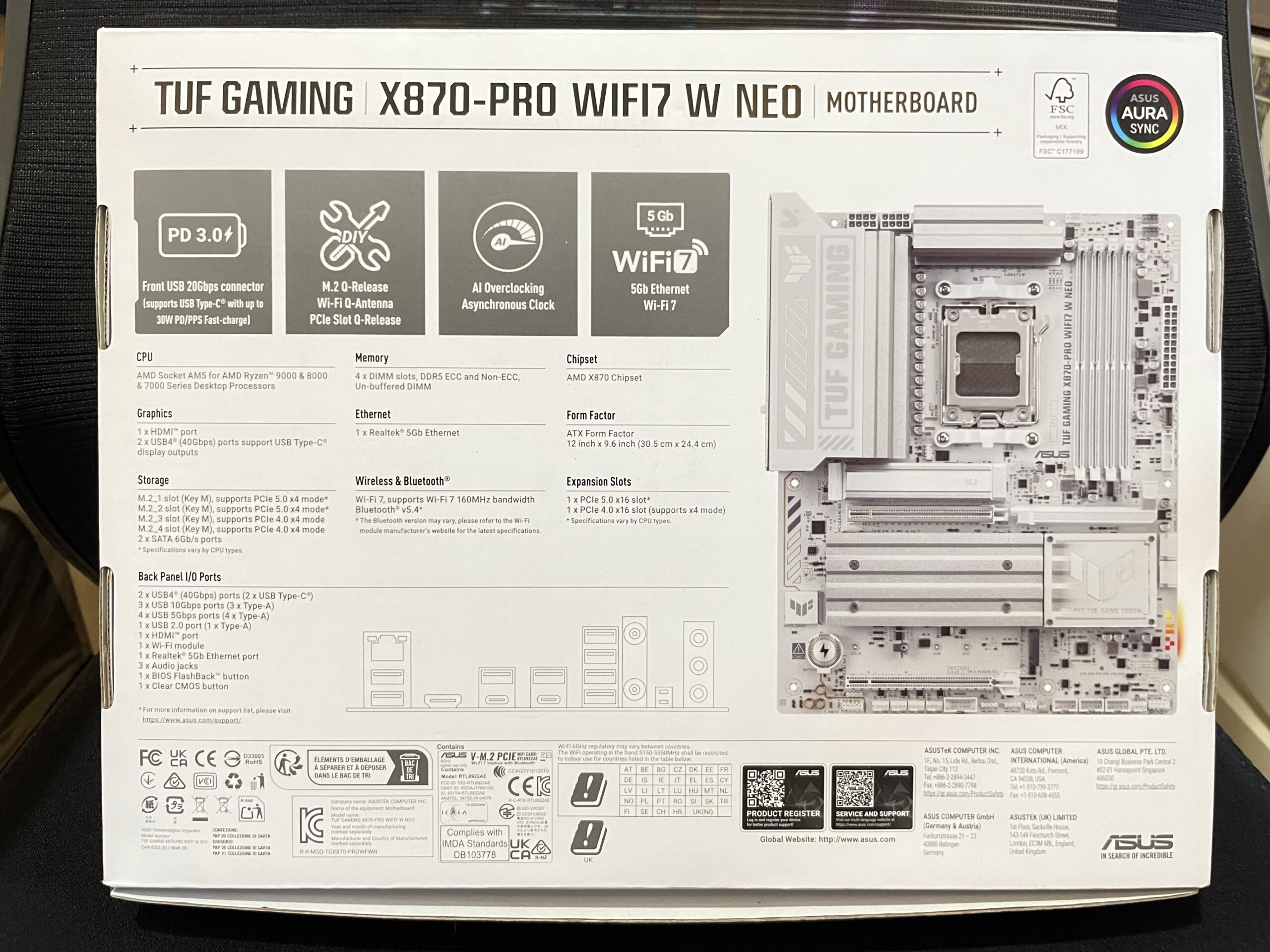
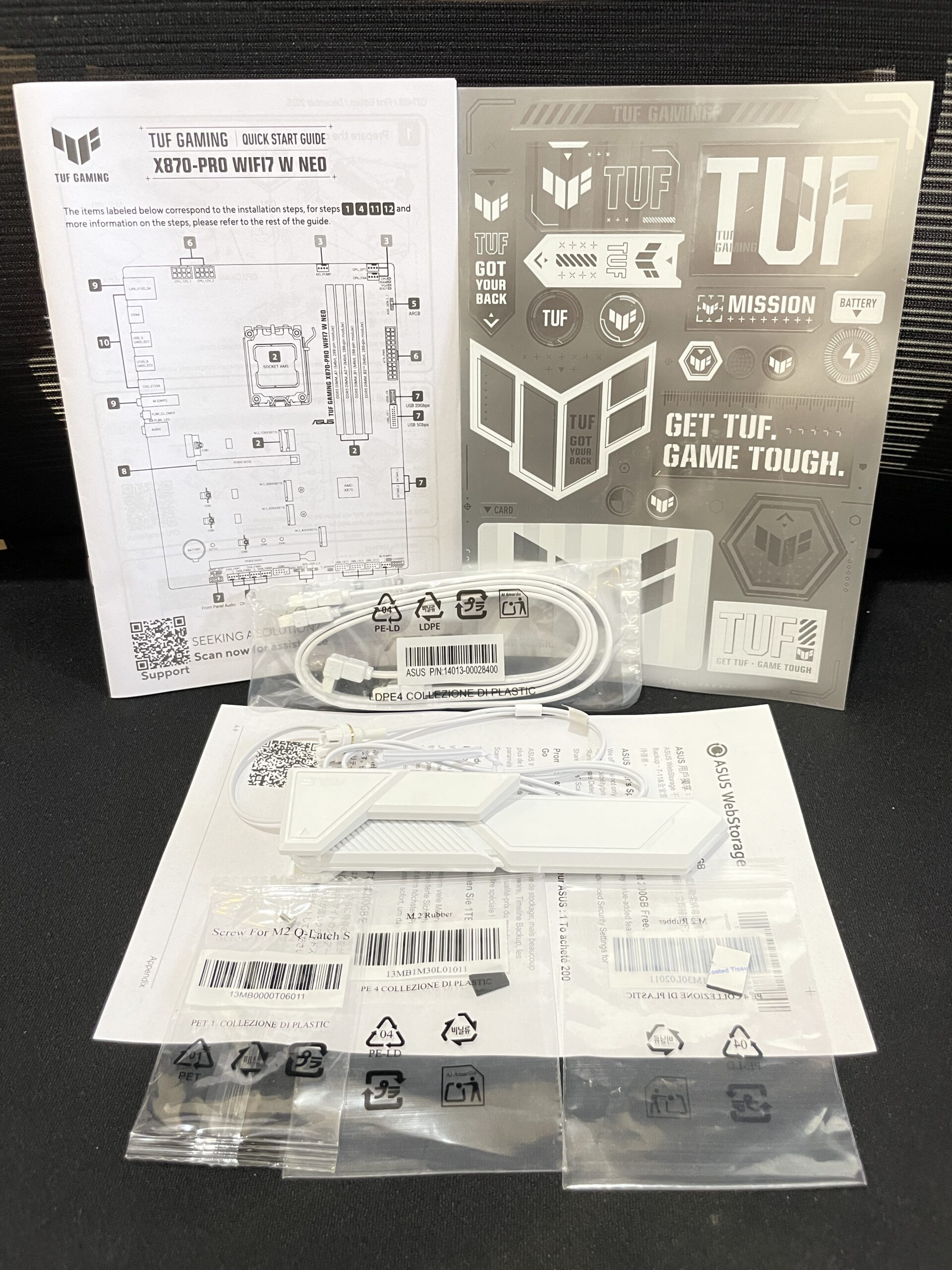
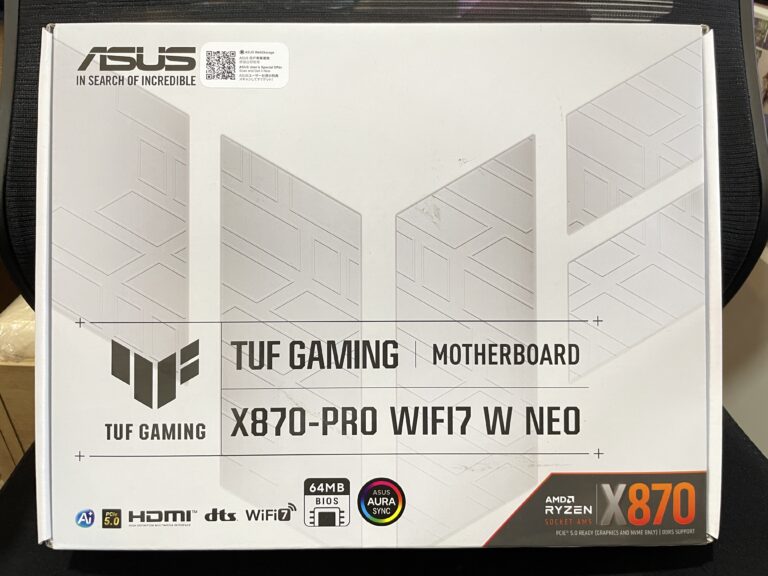
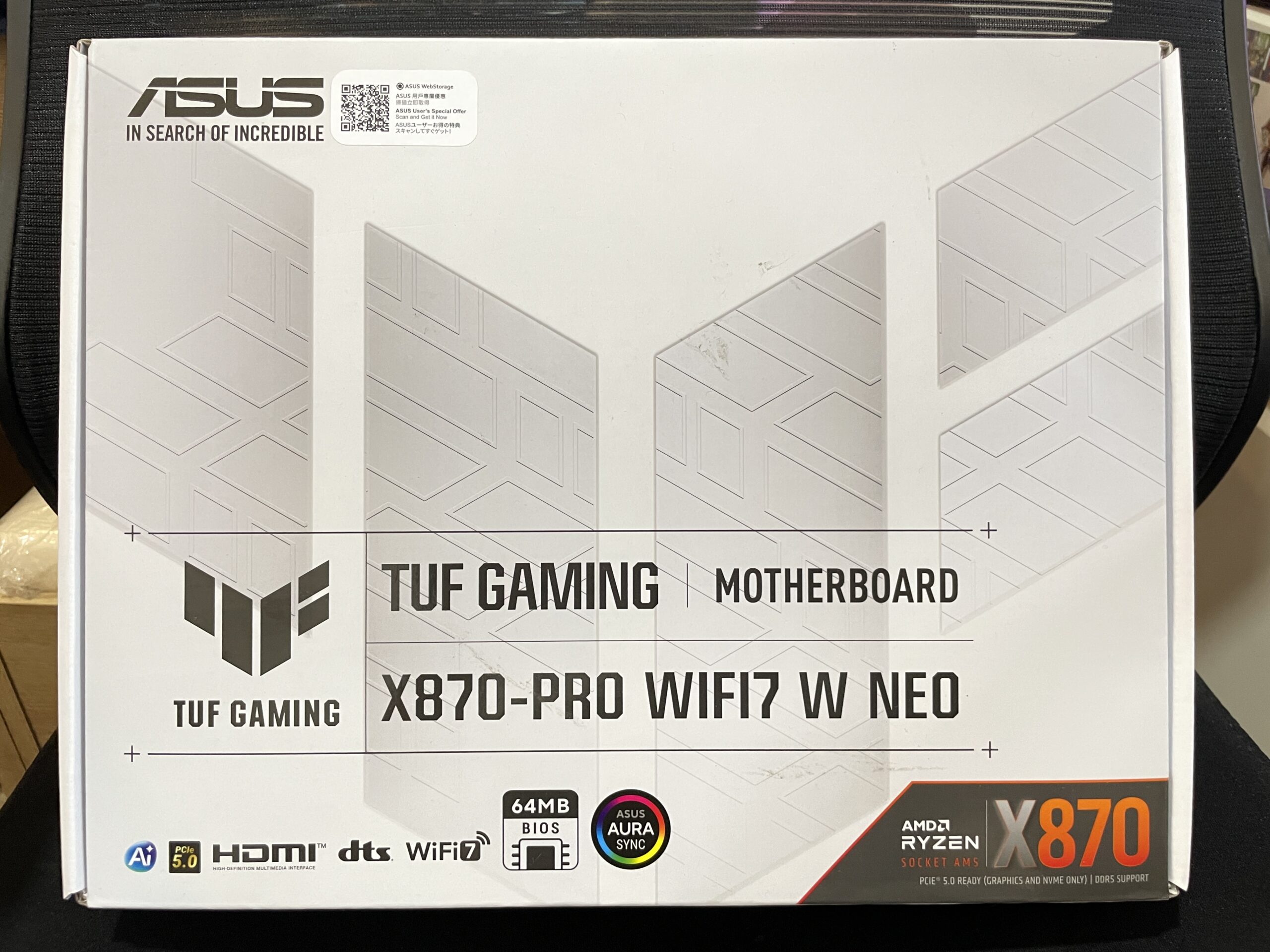
Box dari ASUS TUF Gaming X870-Pro WiFi7 W Neo didominasi oleh warna putih dan branding “TUF GAMING” terpampang jelas pada bagian depan box. Pada bagian belakang box terdapat spesifikasi dari motherboard ini dan beberapa fitur unggulan yang menjadi highlight seperti USB 3 Power Delivery, AI Overclocking & Asynchronous Clock, Wifi-7 & 5G Ethernet, serta fitur DIY Friendly. Tak ketinggalan juga bentuk fisik dari motherboad ini juga terpampang jelas pada bagian belakang box. Untuk accessories terdapat antena WiFi, kabel SATA, mur/baut untuk NVMe, rubber pad M.2 dan sticker bertema TUF GAMING.
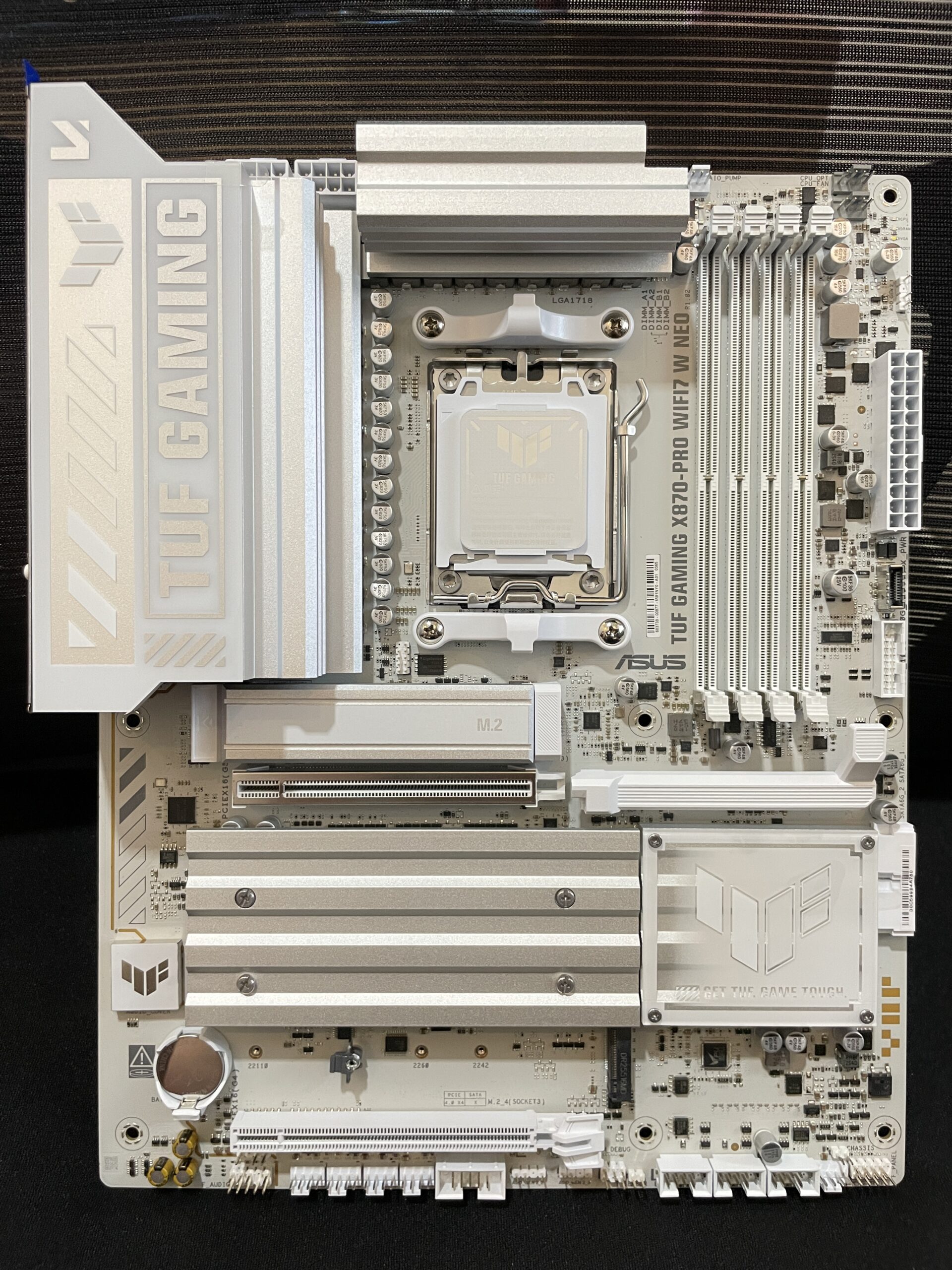
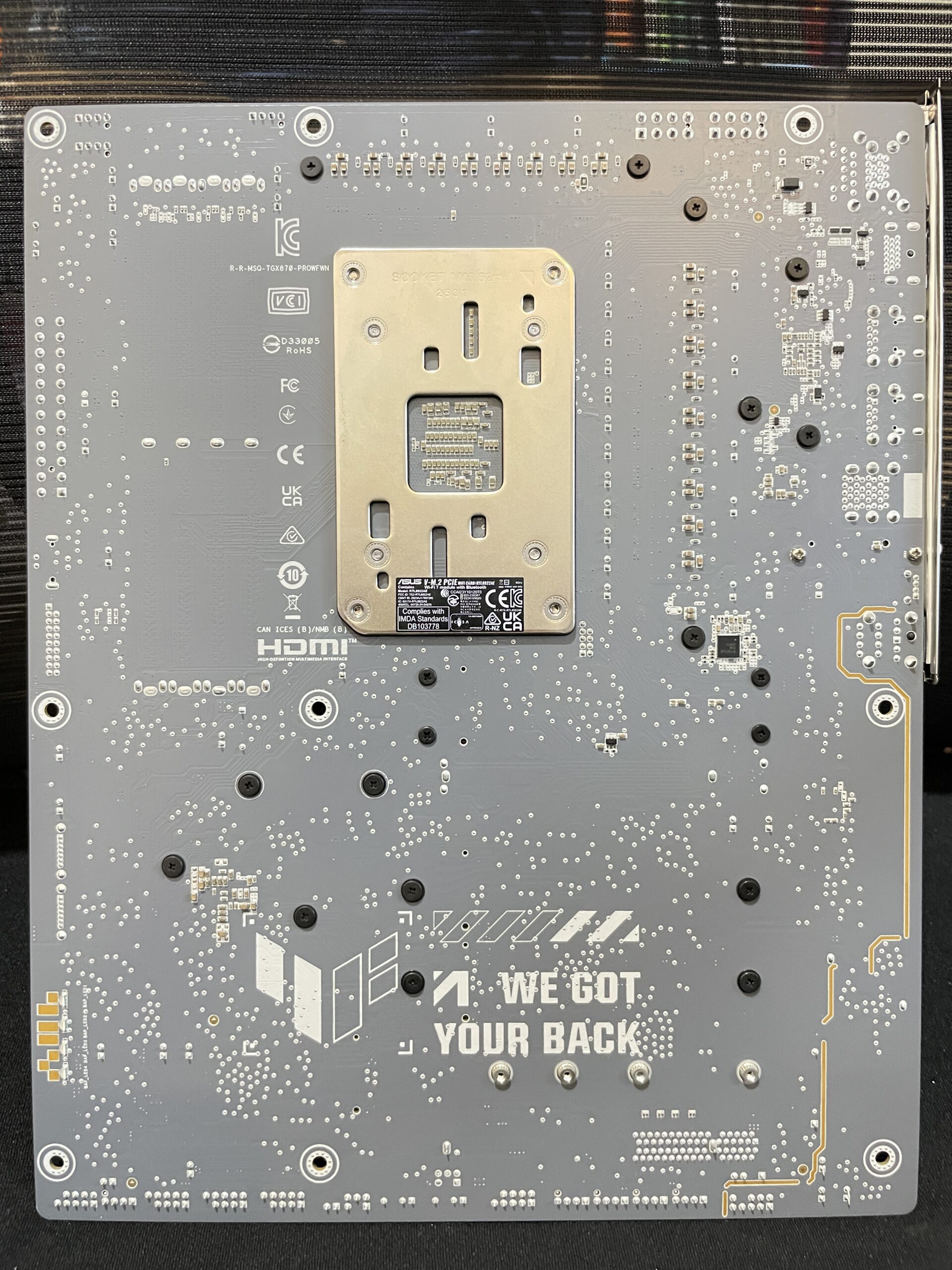
Sesuai namanya, TUF Gaming X870-Pro WiFi7 W Neo didominasi oleh warna putih dan silver pada beberapa bagian seperti Heatspreader VRM, M.2 dan Chipset. Terdapat branding TUF Gaming yang cukup besar di bagian heatspreader VRM. Pada bagian belakang PCB, Pada bagian belakang motherboard juga terdapat pemanis juga berupa branding TUF yang cukup besar, “WE GOT YOUR BACK”.
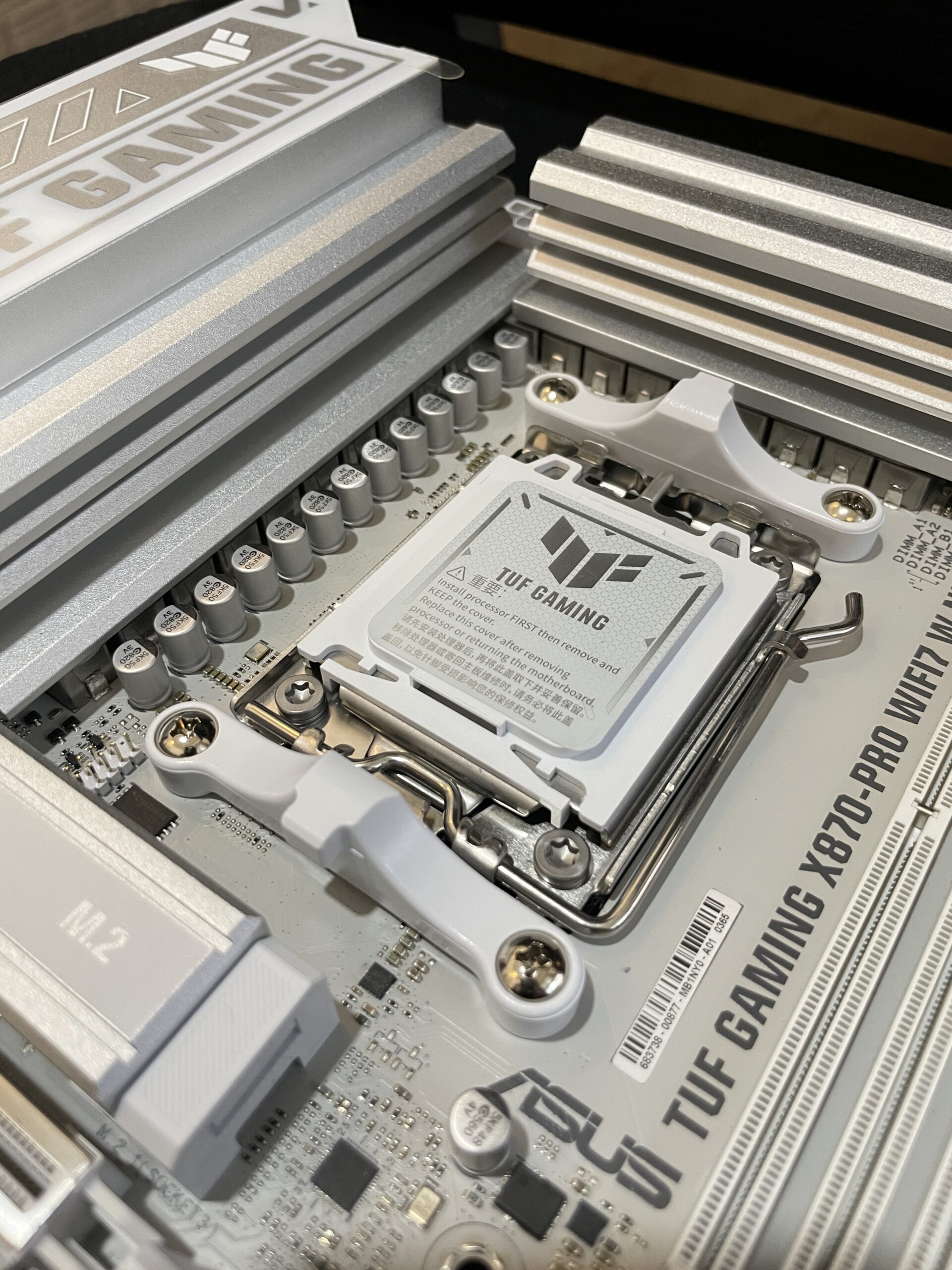
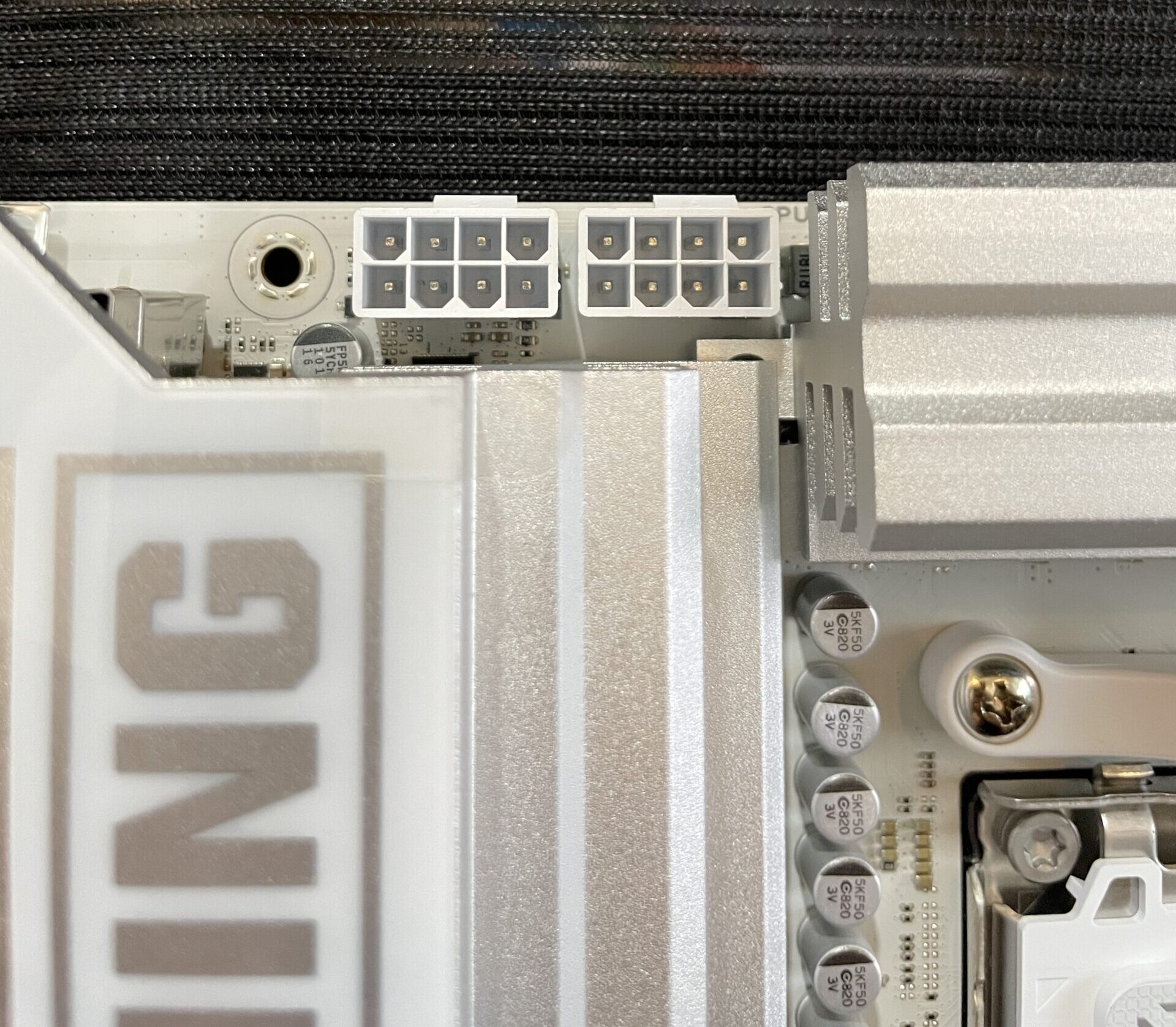
ASUS TUF Gaming X870-Pro WiFi WiFi7 W Neo dibekali Voltage Regulator Module (VRM) dengan tipe SPS Power Stages yang memiliki konfigurasi 16(80A)+2(80A)+1(80A). Konfigurasi ini lebih dari cukup untuk menghandle penggunakan CPU kelas atas dari Ryzen 9000 Series sepert AMD Ryzen 9 9950X, 9950X3D bahkan 9950X3D2 dalam kondisi heavy-load sekalipun, motherboard ini juga dilengkapi konektor daya 2x 8 Pin EPS untuk memastikan bahwa CPU AMD Ryzen 9000 Series tertinggi tidak akan mengalami kekurangan daya.
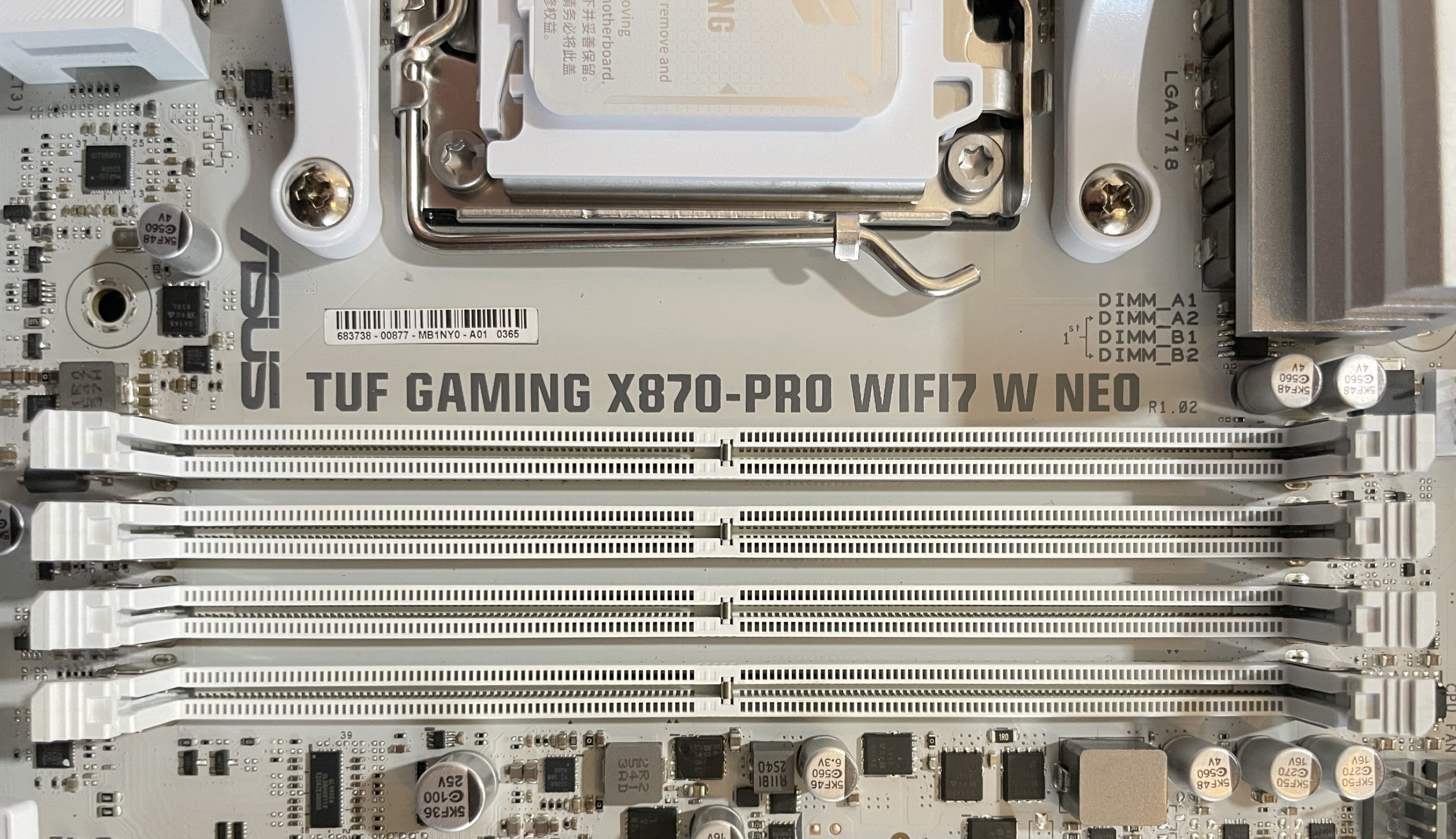
Motherboard ini memiliki 4 slot memory (Dual Channel) DDR5 up to 256GB. Dari sisi memory, terlihat banyak peningkatan dibanding motherboard TUF X870 yang sebelumnya kami coba, lecepatan memory maksimal yang didukung oleh motherboard ini ada pada frekuensi DDR5 9600+ MT/s jika dipasangkan dengan CPU AMD Ryzen 8000 Series! ASUS memutuskan untuk mengadopsi fitur seperti NitroPath memory slot yang dijumpai di line-up ROG X870E Series dan melakukan improvement di sisi memory trace pada PCB sehingga mendukung kecepatan DDR5 dengan rating hingga DDR5 9600+ MT/s
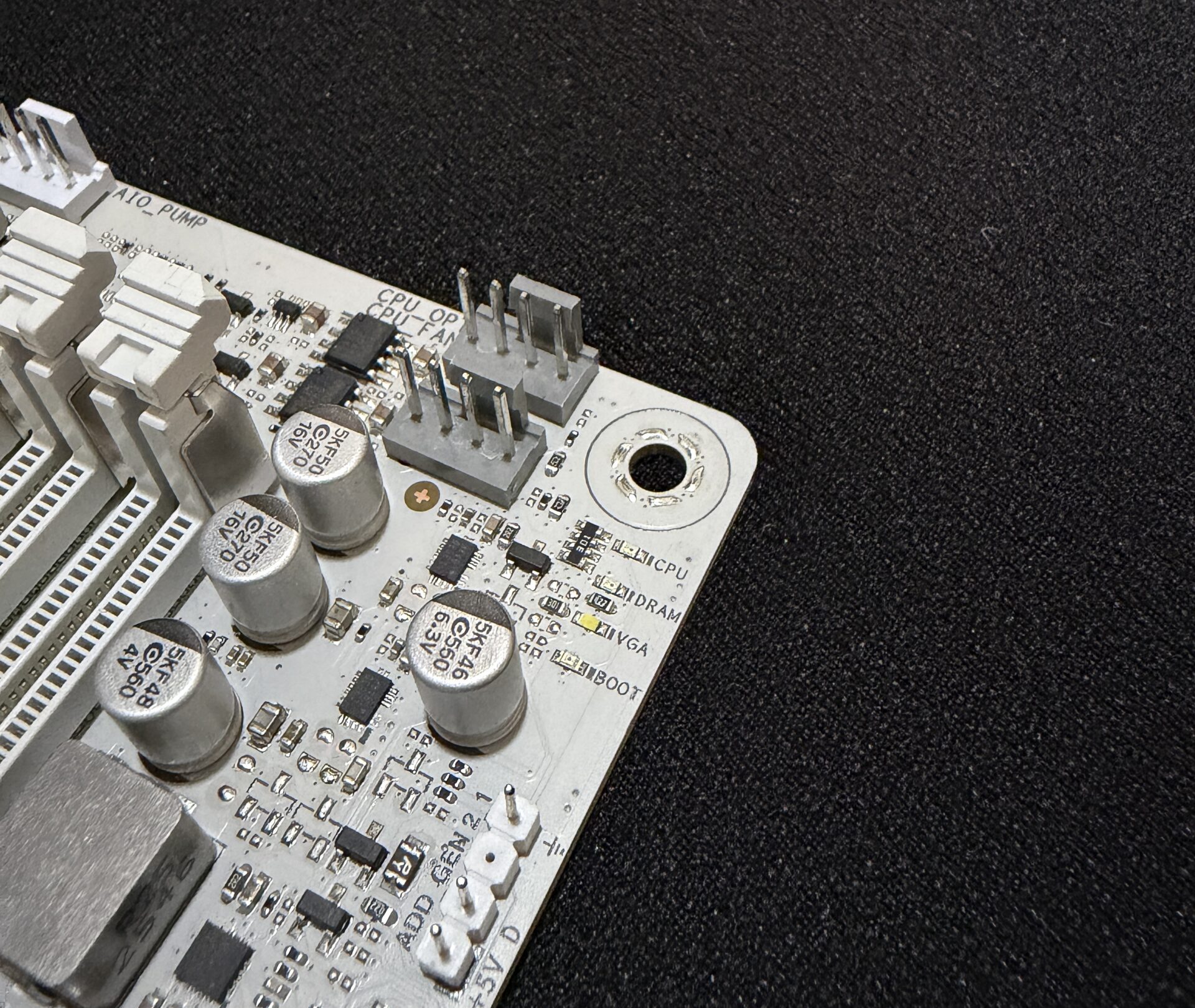
Salah satu point plus dari motherboard ini adalah hadirnya fitur ASUS Q-LED yang berfungsi untuk mengidentifikasi masalah ketika boooting, terdapat LED indikator CPU, DRAM, VGA, dan Boot Drive yang akan menyala bergantian pada saat proses POST/Boot. Jika terdapat masalah misalnya pada modul RAM, maka LED indikator DRAM akan menyala secara terus menerus. Tentunya fitur ini sangat membantu ketika melakukan proses troubleshooting jika terjadi masalah pada saat booting.
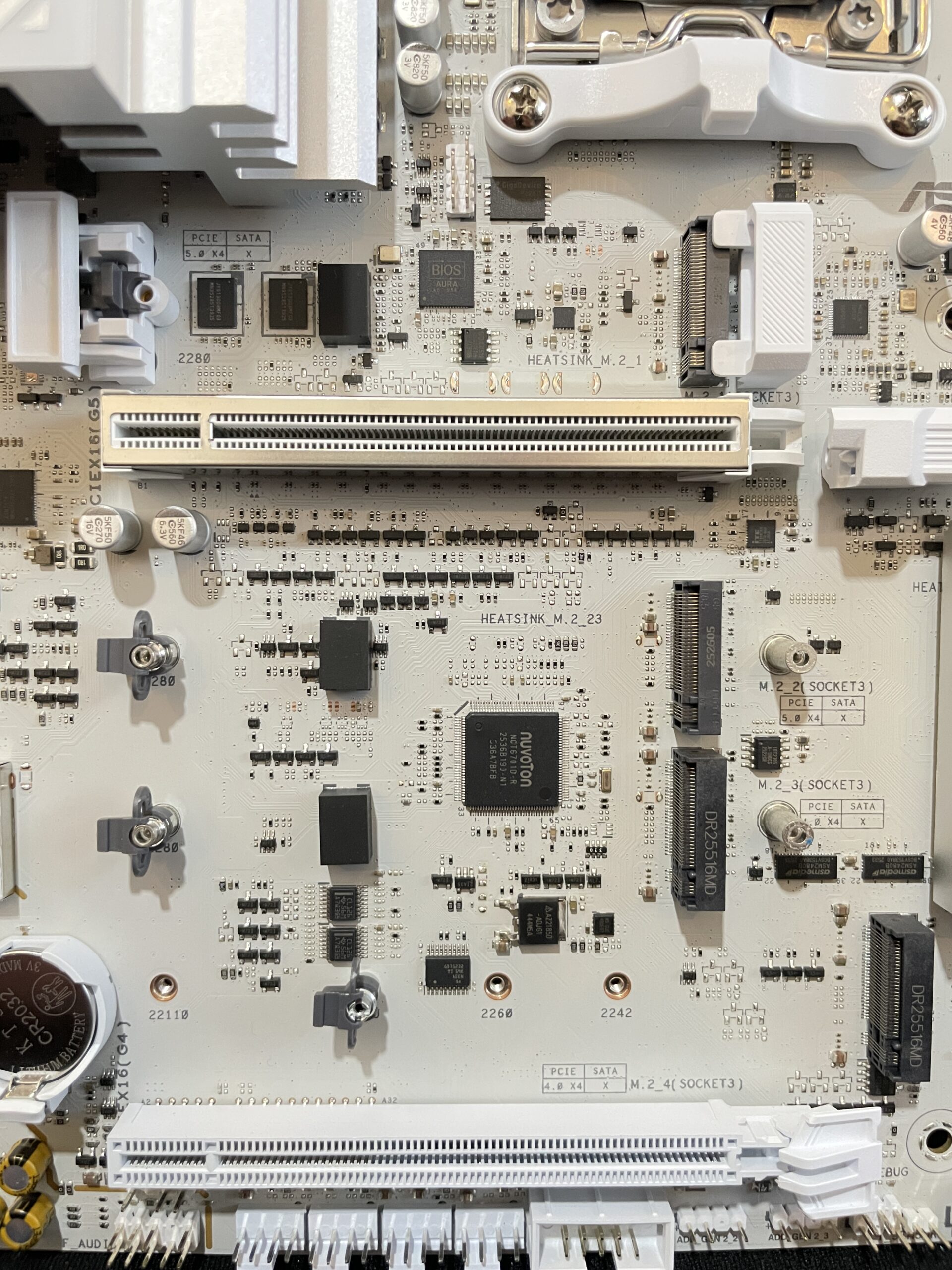
Untuk slot ekspansi, TUF Gaming X870-Pro WiFi7 W Neo mendukung PCIe dengan konfigurasi sebagai berikut:
AMD Ryzen™ 9000 & 7000 Series Desktop Processors*
1 x PCIe 5.0 x16 slot (supports x16 mode)
AMD Ryzen™ 8000 Series Desktop Processors
1 x PCIe 4.0 x16 slot (supports x8/x4 mode)**
AMD X870 Chipset
1 x PCIe 4.0 x16 slot (supports x4 mode)***
* Please check the PCIe bifurcation table on the support site (https://www.asus.com/support/FAQ/1037507/).
** Specifications vary by CPU types.
*** PCIEX16(G4) slot shares bandwidth with the The M.2_4 slot. When either the PCIEX16(G4) or M.2_4 slot is occupied, that slot runs at PCIe 4.0 x4 mode. When both slots are occupied, each runs at PCIe 4.0 x2 mode. You can enter the BIOS to adjust the default settings as required.
========================================================================================
Beralih pada bagian storage M.2 dan SATA, terdapat 4 slot NVMe yang mendukung hingga PCIe Gen5 dengan detail sebagai berikut:
Total supports 4 x M.2 slots and 2 x SATA 6Gb/s ports
AMD Ryzen™ 9000 & 7000 Series Desktop Processors
M.2_1 slot (Key M), type 2280 (supports PCIe 5.0 x4 mode)
M.2_2 slot (Key M), type 2280 (supports PCIe 5.0 x4 mode)*
AMD Ryzen™ 8000 Series Desktop Processors
M.2_1 slot (Key M), type 2280 (supports PCIe 4.0 x4 mode)
M.2_2 slot (Key M), type 2280 (supports PCIe 4.0 x4 mode)**
AMD X870 Chipset
M.2_3 slot (Key M), type 2280 (supports PCIe 4.0 x4 mode)
M.2_4 slot (Key M), type 2242/2260/2280/22110 (supports PCIe 4.0 x4)***
2 x SATA 6Gb/s ports
* The 2 x USB4® (40Gbps) ports share bandwidth with the M.2_2 slot. The USB4 Controller runs at PCIe 4.0 x2 mode when a device is installed in the M.2_2 slot. The M.2_2 slot runs at PCIe x2 mode by default. You can switch M.2_2 to M.2_2 X4 mode in the BIOS, but this will disable the USB4® (40Gbps) ports.
** Specifications vary by CPU types.
*** The M.2_4 slot shares bandwidth with the PCIEX16(G4) slot. When either the PCIEX16(G4) or M.2_4 slot is occupied, that slot runs at PCIe 4.0 x4 mode. When both slots are occupied, each runs at PCIe 4.0 x2 mode. You can enter the BIOS to adjust the default settings as required.
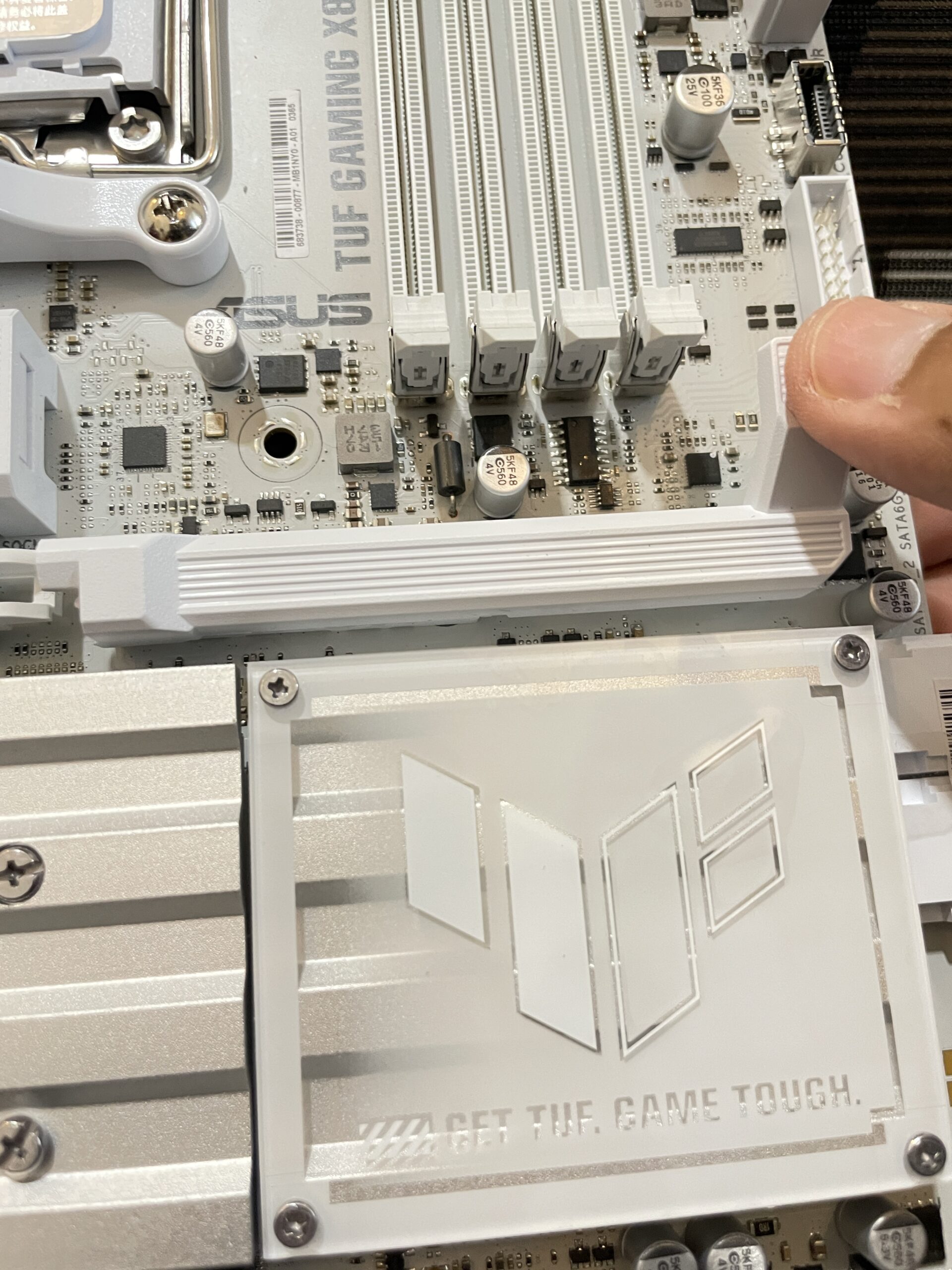
Motherboard ini juga dibekali fitur unik yang dinamakan PCIe Slot Q-Release yang memudahkan user untuk melepaskan Graphic Card berukuran bongsor tanpa kesulitan berarti, selain itu pada bagian storage NVMe, user juga dapat dengan mudah memasang dan melepas NVMe devices dengan cara menekan penahan yang ada di ujung heatspreader NVMe, fitur ini dinamakan M.2 Q-Release.
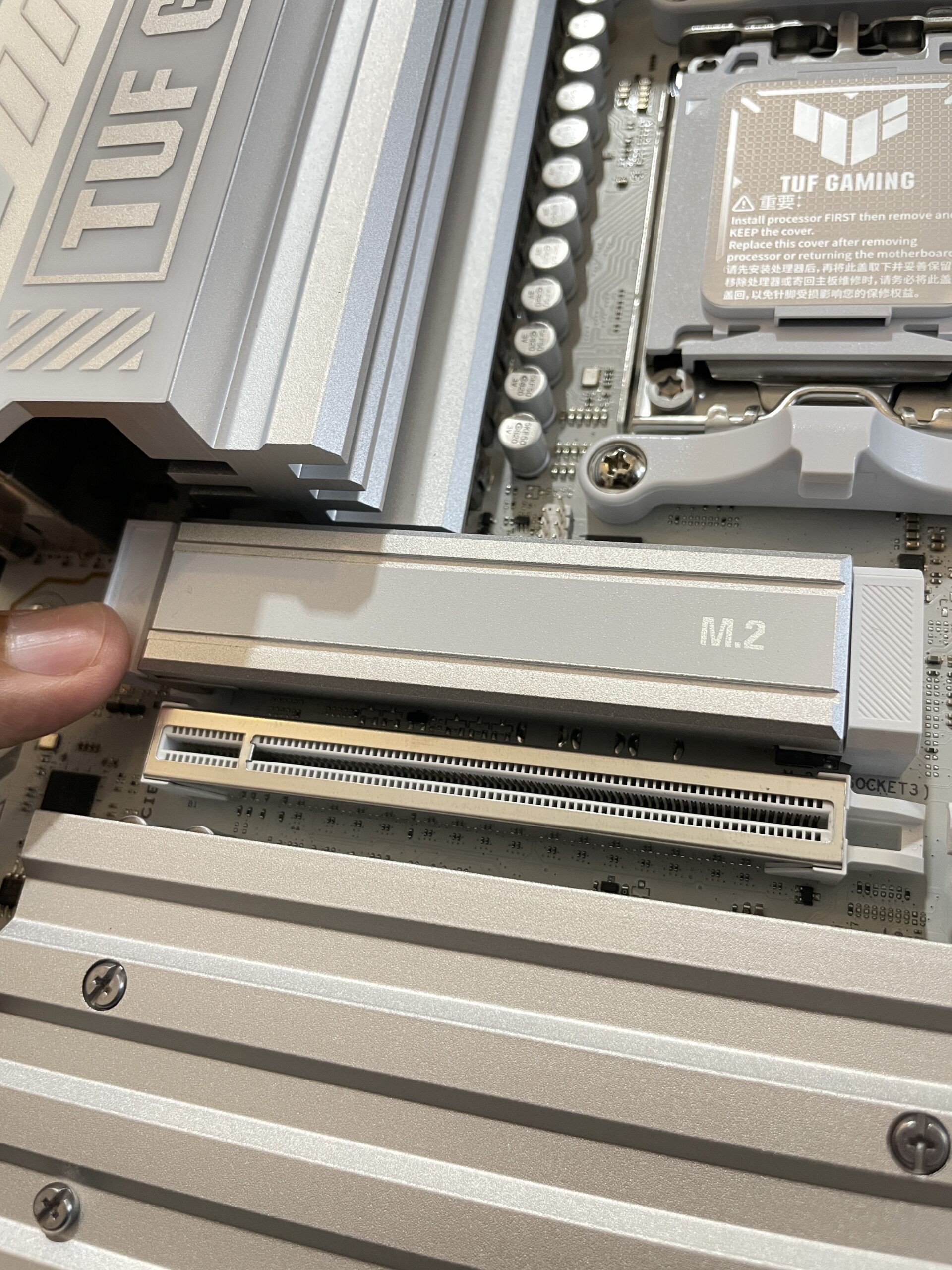
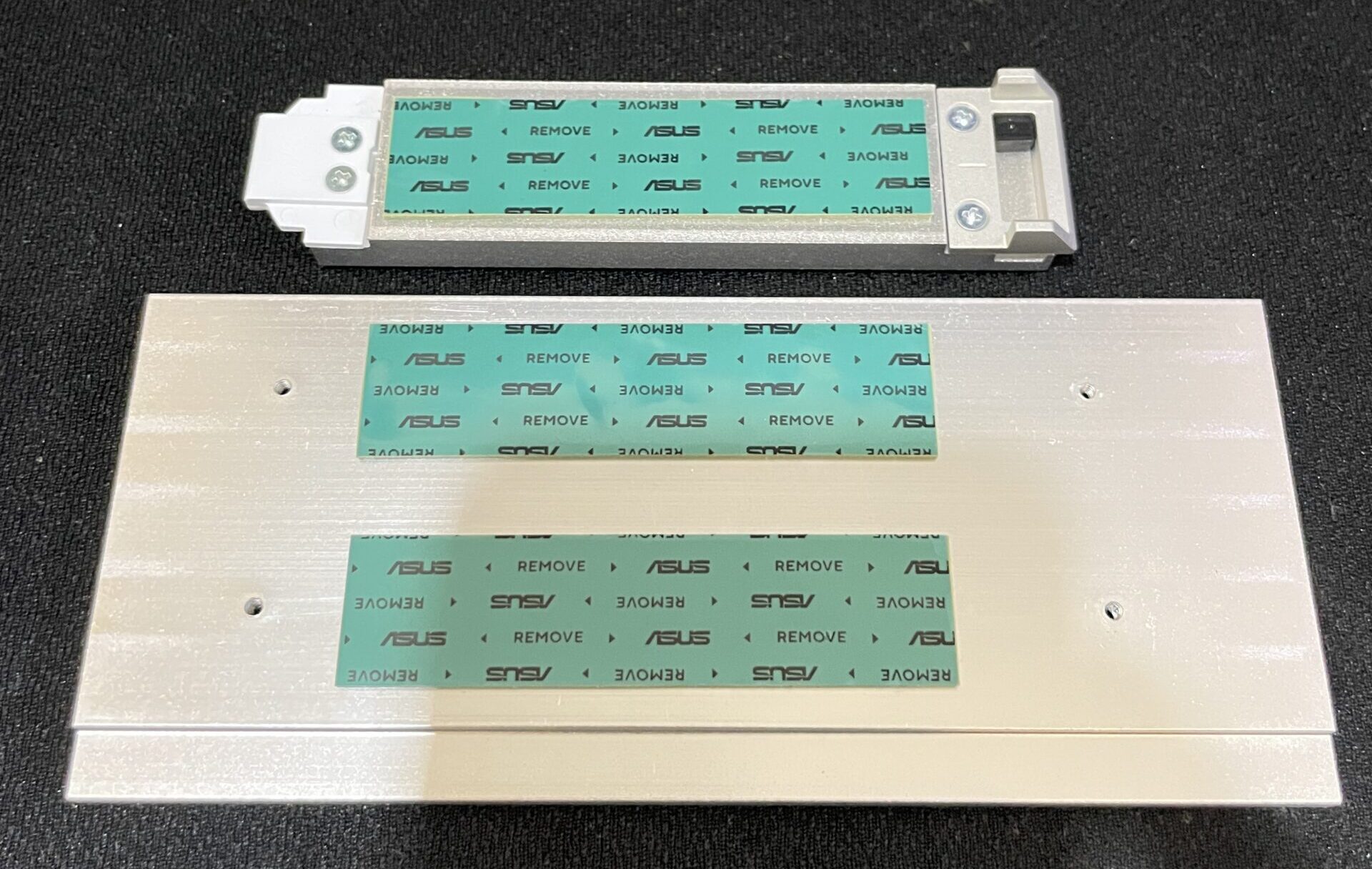
User tidak perlu khawatir dengan temperatur NVMe devices yang akan dipakai pada motherboard ini, TUF Gaming X870-Pro WiFi7 W Neo menyediakan heatspreader berbahan aluminium yang cukup tebal dan dilengkapi oleh thermal pad untuk membantu melepaskan panas dari NVMe devices yang terpasang secara optimal.
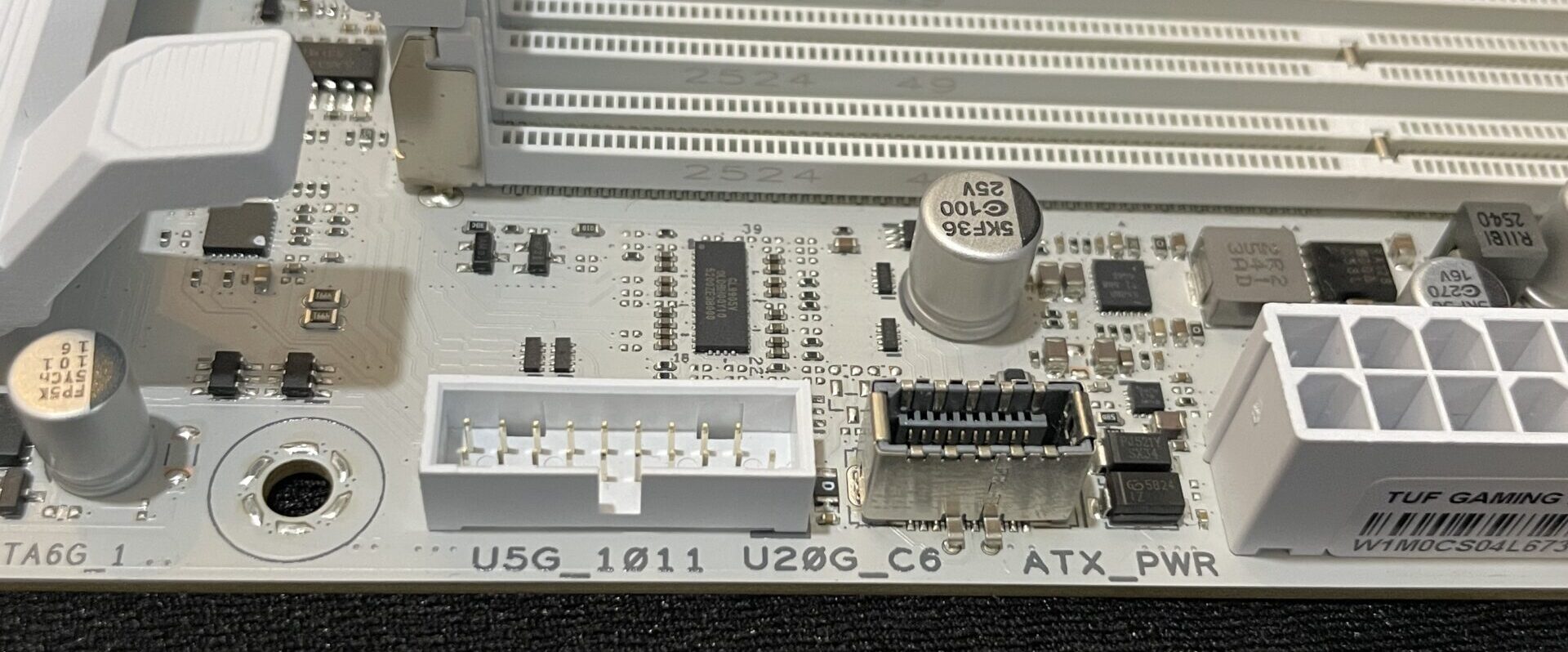
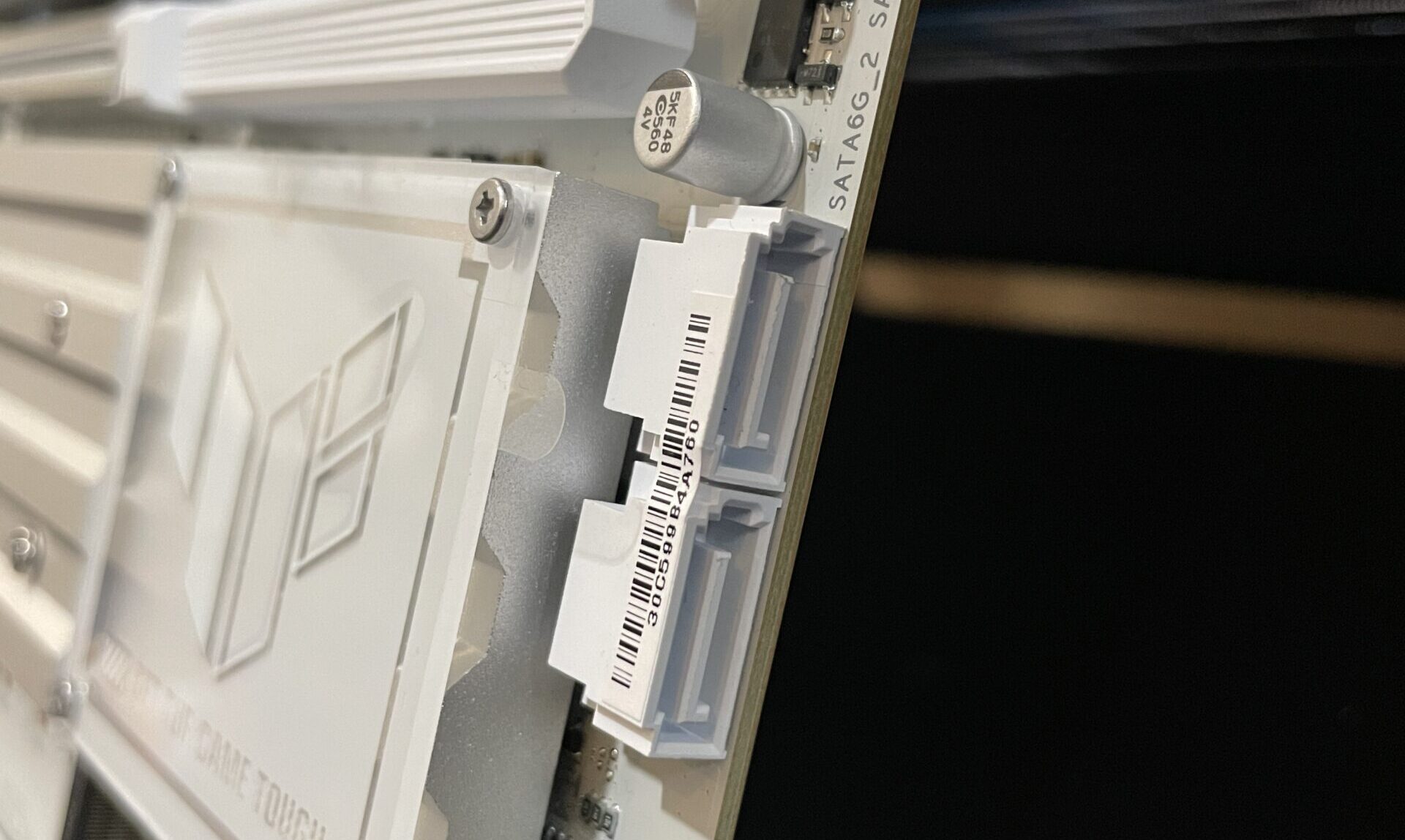
Pada bagian kanan bawah motherboard terdapat slot SATA 3 6Gbps sebanyak 2 buah dan header USB 5Gbps untuk front panel. Selain itu juga terdapat header USB 20 Gbps untuk opsi storage USB berkecepatan tinggi yang mendukung fitur Fast Charging PD 3.0.
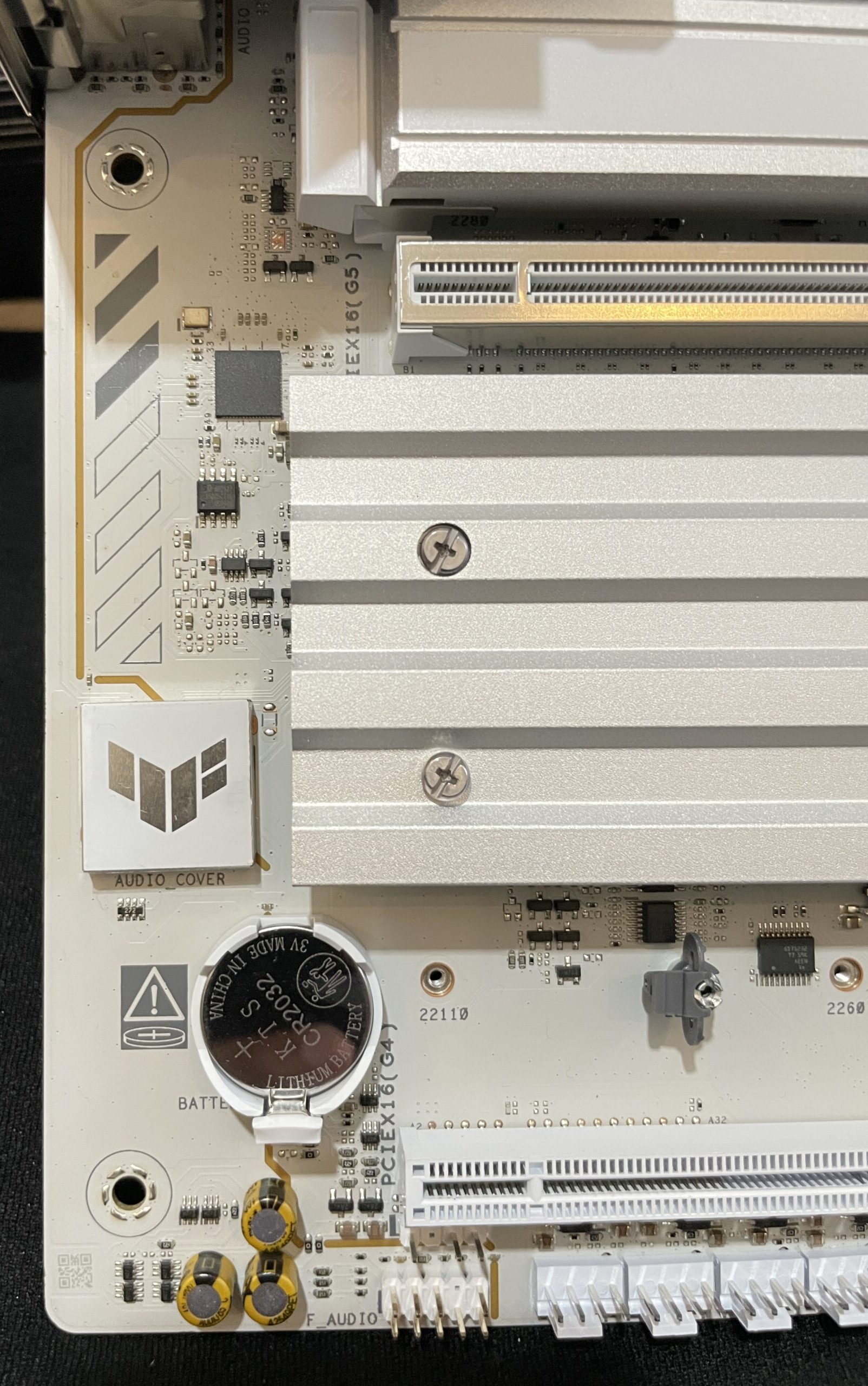
Untuk bagian Audio, motherboard ini mengandalkan Realtek ALC1220P 7.1 Surround Sound High Definition Audio CODEC yang dibalut dengan PCB-Shielding dan audio kapasitor khusus untuk memastikan kejernihan kualitas Audio.
Pada bagian backpanel sendiri terdapat tombol USB BIOS Flashback, Clear CMOS, 4 USB 5Gbps, 3 USB 10Gbps, 2 USB 40Gbps, 1 USB 2.0 s, 5G Ethernet Adapter, slot antena Wi-Fi 7 , port HDMI dan line-out audio serta microphone in. Dapat kita lihat TUF Gaming X870-Pro WiFi7 W Neo memiliki opsi USB cukup melimpah yang dapat mengakomodir berbagai kebutuhan user.
About the Author